
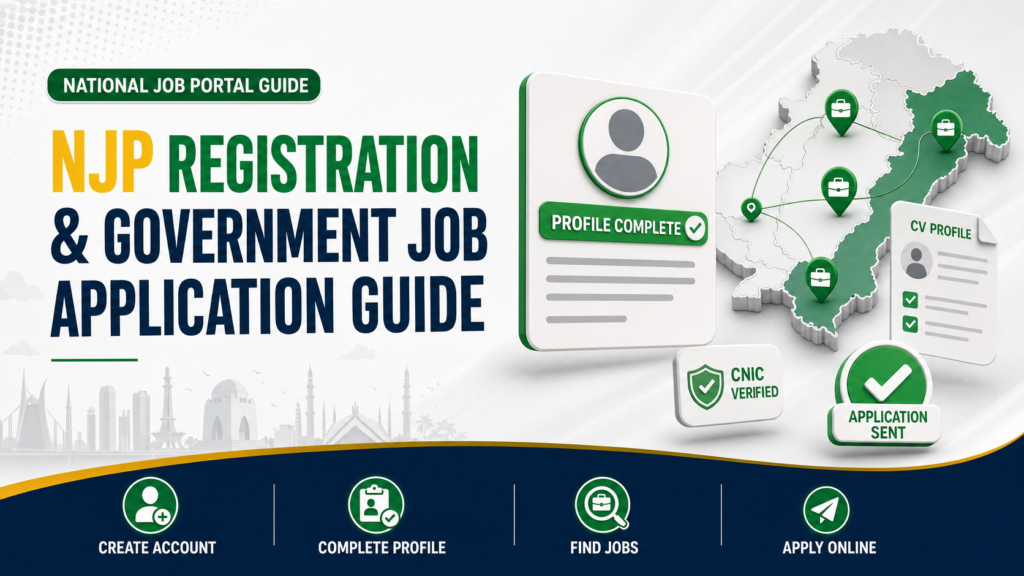
NJP registration is the first step for candidates who want to create a profile and apply for participating government vacancies through Pakistan’s National Job Portal. The official platform allows candidates to find verified opportunities, complete their CV information, and submit eligible applications online. This guide explains the complete account-registration, profile, job search, and application process.
This guide explains how to create an NJP account, complete the verification and profile process, search for suitable vacancies, review a job detail page, and submit an application before the closing date. Because the portal can change its interface, candidates should follow the labels displayed on the live website and rely on the current advertisement whenever its instructions differ from a general guide.
For a broader explanation covering different commissions, departments, documents, fees, and application methods, read our complete government job application guide.
Important: This article covers the National Job Portal at njp.gov.pk. It does not replace a department’s advertisement, and it does not describe the separate FPSC General Recruitment portal.
What Is the National Job Portal?
The National Job Portal is a Government of Pakistan employment platform. Its public website provides access to live government vacancies, candidate registration, login, a CV or resume area, and support services. The portal states that jobs published on the platform are authenticated.
NJP can serve two connected purposes. A visitor can browse public job listings and review vacancy details, while a registered candidate can sign in and apply where the employer accepts applications through the portal. The official FAQ summarizes the process as browsing live jobs, opening the job detail page, selecting Apply, completing the CV sections, and submitting before the closing date.
NJP Registration and Application Process at a Glance
| Stage | Candidate action | Intended result |
| Verify the source | Open njp.gov.pk directly or through a trusted official advertisement | Avoid an imitation or unrelated application page |
| Create an account | Select Candidate Signup and provide the requested account details | Start an NJP candidate account |
| Complete verification | Follow the CNIC and PAK-ID verification process shown by NJP | Establish the candidate profile |
| Complete the profile | Enter accurate CV information in every relevant section displayed | Prepare the account for applications |
| Find a vacancy | Search or filter the live-jobs page | Identify a suitable open position |
| Review the job | Read the employer, grade, experience, deadline, and full conditions | Confirm suitability before applying |
| Apply | Select Apply, complete any missing CV sections, and submit before the deadline | Send the application through NJP |
| Save records | Retain the job details and any confirmation shown in the account | Maintain evidence and track future updates |
The official FAQ connects job submission with completion of the candidate’s CV sections. Creating an account alone is therefore not the same as applying for a vacancy.
What to Prepare Before NJP Registration
The public registration page requests the candidate account type, CNIC number, email address, password, and password confirmation. Prepare accurate information before opening the form, and use an email address that you can access regularly.
| Item to prepare | Why it matters |
| Your own CNIC | NJP registration and verification are linked to candidate identity |
| Active email address | Used for account access, recovery, and possible communication |
| Strong unique password | Helps protect personal and career information |
| Accessible mobile number | May be requested within the candidate profile or used for communication |
| Academic records | Help you enter qualification details consistently |
| Employment records | Help you enter correct titles, organizations, dates, and duties where required |
| Skills and training information | Supports accurate completion of any relevant CV sections shown |
| Current address and domicile details | Useful when a vacancy or live profile field requests them |
Do not send your password or any verification credential to a person offering to create the account for you. If another person assists with data entry, the candidate should still review every field and retain sole control of login credentials.
Before using a link shared on social media or WhatsApp, read our government job verification guide and confirm that the address leads to the real National Job Portal.
Step 1: Open the Official NJP Website
Type https://www.njp.gov.pk/ into the browser or use the NJP link published in the recruiting department’s official advertisement. The public homepage identifies the platform as the National Job Portal of the Government of Pakistan.
Check the domain before entering a CNIC, email address, password, or career information. Do not rely only on the page logo or visual design, because those elements can be copied. If a forwarded link looks unusual, close it and reopen the portal through the official homepage.
The main public options include Find Jobs, candidate registration, login, FAQs, and support. A candidate who already has an account can proceed to sign in; a new candidate should open the registration page.
Step 2: Create an NJP Candidate Account
Open the official NJP registration page. The public signup form currently shows the following fields:
| Registration field | What to enter |
| Account Type | Select Candidate Signup |
| CNIC Number | Enter your own valid CNIC in the format requested by the form |
| Email Address | Use an active personal email address |
| Password | Create a strong password not used on another website |
| Re-type | Enter the same password again |
Review the CNIC and email address before selecting SignUp Now. A typing error can interfere with identity verification, login, password recovery, or communication.
Use a password that combines several character types and is difficult to guess. Do not use your CNIC, phone number, name, or date of birth as the complete password. Store it in a secure password manager or another protected location rather than sending it to yourself through an open messaging group.
Step 3: Complete CNIC and PAK-ID Verification
The official NJP FAQ says that candidate account creation includes a verification process using CNIC and PAK-ID credentials. Complete the verification steps exactly as displayed on the secure NJP interface.
The screen sequence and verification prompts can change. Do not follow screenshots from an old video when they conflict with the live portal. Read every consent or confirmation screen before continuing, and make sure the identity information belongs to the person creating the candidate profile.
If the portal requests a temporary verification code or another security credential, enter it only on the official NJP or connected official verification interface. Never provide a password, one-time code, or banking credential to a social-media administrator, job agent, or unknown caller.
If verification fails, first check the CNIC entry and account details. Use the official NJP support channels rather than creating repeated accounts with conflicting information.
Step 4: Sign In Securely
After account creation and required verification, open the official NJP login page. Enter the credentials associated with your candidate account.
Before signing in, confirm that the browser address still belongs to njp.gov.pk. Avoid saving your password on a public or shared computer. If you use a shared device, sign out when finished and close the browser session.
If you forget the password, the official FAQ directs candidates to use Forgot Password on the login page to receive a reset code and create a new password. Use the recovery method rather than asking another person to access the account.
Step 5: Complete Your NJP Profile and CV Sections
The official NJP application instruction says that a candidate should complete the CV sections before submitting a job application. Open the candidate profile or CV area after secure login and complete every relevant section shown by the live portal.
Because the signed-in interface can be updated, this guide does not assume a fixed list or order of profile fields. Use your official records to enter information accurately and follow the labels currently displayed in the account.
| Information type | Accuracy check |
| Identity and contact information | Match your CNIC and use reachable contact details |
| Address or location information | Enter the current information requested by the portal |
| Education | Match degree titles, institutions, subjects, dates, grades, divisions, or CGPA with records |
| Experience | Match employer names, job titles, dates, and duties with evidence |
| Training and skills | Include only skills or courses you can explain or document if asked |
| CV or resume information | Keep it consistent with the individual sections in the profile |
| Additional fields | Complete only with truthful information relevant to the field |
A complete profile does not make a candidate eligible for every NJP vacancy. Eligibility is decided according to the requirements of each advertisement. The profile helps transmit your information, but the candidate must still compare qualifications, experience, age, domicile, quota, and other conditions with the selected job.
How to Enter Education Information Correctly
Enter degree and certificate information exactly as supported by your documents. Avoid shortening a qualification in a way that changes its meaning. Where the portal asks for dates, use the type of date described by the field rather than guessing.
Check the following before saving an education record:
| Education detail | Recommended check |
| Qualification title | Match the certificate or degree |
| Institution | Use the official institution name |
| Board or university | Select or enter the awarding body accurately |
| Subject or specialization | Match the academic record |
| Result or completion date | Use the date type requested by the live field |
| Grade, division, or CGPA | Enter the value in the format requested |
If a vacancy requires a particular subject, professional registration, equivalence, or minimum result, confirm it through the job advertisement. A similar degree title does not automatically establish eligibility.
How to Enter Experience and Skills
Experience entries should be consistent with appointment letters, experience certificates, contracts, or other supporting records. Use exact employer names and realistic descriptions of responsibilities.
Do not extend employment dates, change a job title, or add duties solely to match a vacancy. If the advertisement requires post-qualification experience, compare the required calculation with your evidence before applying.
Skills should describe abilities you genuinely possess. Broad phrases such as “computer expert” are less useful than accurate skills that match the portal field and job requirement. However, do not overload the profile with unrelated keywords merely to appear in more searches.
Step 6: Search for Live Government Jobs
Open the official NJP live-jobs page. The public page allows candidates to browse available positions and currently provides filters for job type, scale or grade, experience, and age limit.
| Search option | How to use it |
| Search field | Enter a relevant post title, skill, department, or field |
| Job Type | Compare regular and contract opportunities |
| Scale | Narrow results to a relevant BPS, PPS, grade, or other listed level |
| Experience | Match results with the experience you can document |
| Age Limit | Identify vacancies that may fit your age range |
| List or Tile view | Choose the layout that is easier to review |
You can also monitor our latest government jobs in Pakistan and current federal government vacancies for discovery. When an advertisement says applications must be submitted through NJP, open the official portal and locate the same vacancy before applying.
Do not apply to every visible vacancy. Start with jobs that match your education, experience, domicile, age, and career background.
Step 7: Open and Review the Job-Detail Page
Select View Details for the vacancy. The public job cards can show the position, recruiting organization, job type, grade or scale, number of vacancies, experience requirement, and closing status or date. The complete detail page should be reviewed before applying.
Verify the following information:
| Job detail | Question to ask |
| Employer | Is this the organization named in the official advertisement? |
| Post title | Does the designation match your intended application? |
| Employment type | Is it regular, contract, project-based, or another stated type? |
| Scale or compensation basis | Does the grade match the vacancy you reviewed? |
| Qualification | Do your degree and subject satisfy the exact requirement? |
| Experience | Do your evidence and dates meet the stated condition? |
| Age | Are you within the applicable limit on the relevant date? |
| Domicile or quota | Are you eligible for the advertised allocation? |
| Location | Can you meet the posting or duty-location requirement? |
| Closing date | Is enough time available to complete the application? |
| Application instruction | Does the employer require NJP only or an additional official step? |
If the job details refer to an attached advertisement or departmental instructions, read those as well. Where information conflicts, pause and seek clarification through the recruiting organization’s official channel.
Step 8: Select Apply and Complete Missing CV Sections
When you are signed in and have found a suitable vacancy, select Apply on the job detail page. The NJP FAQ says candidates should complete their CV sections and submit the application before the closing date.
If the portal identifies an incomplete section, open that section and enter the missing information accurately. Do not use temporary or invented entries merely to reach the submission screen.
Before proceeding, compare your profile with the advertisement one final time. The portal can transmit your application, but it cannot turn an ineligible qualification, insufficient experience, or incorrect domicile into an eligible one.
Step 9: Review and Submit Before the Closing Date
Review the application and the profile information connected to it. Confirm the selected job, employer, closing date, contact details, education, experience, and any response entered for the vacancy.
| Final review item | Required check |
| Vacancy | Correct post and recruiting organization |
| Deadline | Application is being submitted before closing |
| Profile | Relevant CV sections are complete and current |
| Eligibility | Qualification, age, experience, domicile, and quota are satisfied |
| Contact details | Email and mobile information are active |
| Supporting information | Every claim is accurate and can be supported |
| Additional instructions | Any employer-specific requirement has been followed |
Submit the application only after this review. Do not assume that saving a profile or opening the Apply page has sent the application. Look for the confirmation or application record provided in the signed-in account.
How to Confirm and Record an NJP Application
After submission, review the candidate account for the application record or status information displayed by the portal. Save any confirmation page, reference, or application detail available to you.
Because public NJP pages do not expose every signed-in status label, this guide does not prescribe a particular status name. The practical goal is to retain enough information to identify the vacancy and demonstrate when and how you applied.
Save the following details:
| Record | Why to keep it |
| Job title and employer | Identifies the application |
| NJP job-detail URL | Allows you to revisit the vacancy while available |
| Closing date | Helps you monitor expected next steps |
| Advertisement or job description | Preserves the requirements you applied against |
| Submission confirmation | Shows that the application reached the portal |
| Profile or CV copy | Records the information available at submission |
| Relevant correspondence | Preserves official updates or support responses |
Use a separate folder for each vacancy. A simple filename such as NJP Post Department Year makes later retrieval easier.
NJP vs FPSC: Which Portal Should You Use?
NJP and FPSC are different recruitment systems. Use the application method stated in the advertisement rather than choosing a portal based on convenience.
| If the advertisement says | Appropriate action |
| Apply through NJP | Find the matching vacancy on njp.gov.pk, sign in, and submit through NJP |
| Apply through FPSC | Use the FPSC General Recruitment process and the PSID-based workflow |
| Apply through a department’s own portal | Follow that department’s official instructions |
| Apply through a testing service | Use the named testing organization’s official project page |
| More than one step is required | Complete every step stated in the advertisement |
For FPSC General Recruitment, follow our step-by-step FPSC online application guide. Do not create an NJP application as a substitute when an FPSC advertisement requires submission through the FPSC portal.
Common NJP Registration and Application Mistakes
| Mistake | Why it causes problems | Better approach |
| Registering through an unofficial link | Can expose identity and login information | Open njp.gov.pk directly |
| Entering the wrong CNIC or email | Can disrupt verification and recovery | Review both before signup |
| Giving the password to an agent | Risks account takeover and data misuse | Keep sole control of credentials |
| Leaving CV sections incomplete | Can prevent or weaken an application | Complete the sections requested by the live portal |
| Entering unsupported education or experience | Can create discrepancies during scrutiny | Use information that matches documents |
| Applying without reading the full job details | May lead to an ineligible application | Compare every requirement first |
| Confusing NJP with FPSC | Sends the application through the wrong system | Follow the advertisement’s stated portal |
| Waiting until the closing date | Leaves little time for verification or technical issues | Complete the profile and apply early |
| Assuming a saved profile is an application | No vacancy may have been submitted | Open the job, select Apply, and confirm submission |
| Failing to save records | Makes later tracking difficult | Save job details and confirmation immediately |
Troubleshooting NJP Registration, Login, and Applications
I Cannot Create an Account
Confirm that Candidate Signup is selected and that the CNIC, email, password, and password confirmation are entered in the requested format. If the CNIC or email may already be linked to an account, avoid creating multiple conflicting profiles and use the official login or recovery route.
CNIC or PAK-ID Verification Fails
Review the identity information and follow the current prompts on the official interface. Do not share verification credentials with an unofficial helper. If the issue continues, contact the NJP helpdesk with a clear description but do not send passwords or unnecessary sensitive information.
I Forgot My Password
Use Forgot Password on the official login page. The NJP FAQ says the candidate can receive a reset code and set a new password.
My Profile Appears Incomplete
Open each CV or profile section presented in the signed in account and look for required fields. Use official records and save each section according to the portal’s instructions. If a vacancy requires additional information, complete it before submission.
I Cannot Find the Vacancy
Search by the post title or employer and review the live-jobs filters. Confirm that the vacancy has not expired. If an external advertisement says NJP is required but no matching vacancy can be found, contact the recruiting department or NJP support before submitting information elsewhere.
The Apply Option Is Not Available
Confirm that you are signed in, the vacancy remains open, and the relevant CV sections are complete. Review the job-detail page for eligibility or application instructions. Public listings display Login to Apply when the candidate is not authenticated.
I Am Unsure Whether the Application Was Submitted
Review the signed-in account for an application record, confirmation, or status. If none appears, do not assume the application was sent merely because you viewed the vacancy. Use the official support channel if the portal does not provide a clear result.
I Need Official NJP Support
The NJP website lists info@njp.gov.pk and the telephone numbers 051-9265411 and 051-9265062. Its public support hours are Monday to Friday, 8:30 a.m. to 4:30 p.m., and it also provides an online support form.
When requesting support, describe the issue, the vacancy, and the step at which the problem occurred. Never include your password in an email or support message.
How to Use GovtJobsPK.info With NJP
GovtJobsPK.info can help you discover a vacancy and understand its major conditions. NJP is the official submission platform when the advertisement specifically directs candidates to apply there.
Use this sequence:
| Stage | Website to use |
| Discover relevant opportunities | GovtJobsPK.info categories and job posts |
| Verify the vacancy and source | Named employer, NJP, or the recruiting authority |
| Read the complete conditions | Official advertisement and NJP job detail page |
| Submit the application | The portal specified in the advertisement |
| Monitor updates | NJP account and the recruiting organization’s official sources |
If a summary on any third-party website differs from the current official advertisement, follow the official source and seek clarification where necessary.
Final NJP Application Checklist
Before submitting, confirm that you are using njp.gov.pk, have created a candidate account with the correct CNIC and email, completed the required verification, secured the login credentials, and filled the relevant CV sections accurately.
Then confirm that the selected vacancy is still open, matches your qualifications and experience, and uses NJP as its application method. Review every connected profile field, submit before the closing date, and save the application record or confirmation shown in the account.
Frequently Asked Questions
How do I create an account on the National Job Portal?
Open the official NJP registration page, select Candidate Signup, and enter the requested CNIC, email address, password, and password confirmation. The official FAQ says candidate registration also includes verification through CNIC and PAK-ID credentials.
How do I apply for a government job through NJP?
Browse live jobs, open the relevant job detail page, sign in, select Apply, complete the CV sections requested by the portal, review the information, and submit before the closing date.
Is the National Job Portal an official government website?
Yes. The website identifies itself as the National Job Portal of the Government of Pakistan, and its public pages carry National Information Technology Board branding.
Are NJP job postings verified?
The official NJP homepage states that its postings are authenticated and describes the platform’s opportunities as verified jobs. Candidates should still read the complete vacancy and follow the recruiting employer’s instructions.
What information is required for NJP registration?
The public signup page currently asks for the candidate account type, CNIC number, email address, password, and password confirmation. Additional identity and CV information is completed through the verification and candidate profile process.
What is PAK-ID verification on NJP?
NJP’s FAQ states that account creation includes verification using CNIC and PAK-ID credentials. Candidates should follow the live official prompts and should not share verification credentials with another person.
Can I browse NJP jobs without creating an account?
The public live-jobs page can be browsed without login. However, job cards direct unauthenticated candidates to Login to Apply, so a candidate account is required for submission through NJP.
Which filters are available on the NJP jobs page?
The public page currently provides filters for job type, scale or grade, experience, and age limit, along with search and display options.
Do I need to complete my NJP CV before applying?
The official FAQ tells candidates to complete the CV sections when applying for a job. Complete all relevant sections shown by the live portal before final submission.
Can I use NJP to apply for FPSC jobs?
Only when the advertisement specifically instructs candidates to use NJP. FPSC General Recruitment normally uses its own online system and PSID-based fee process. Follow the application method stated in the vacancy.
What should I do if I forget my NJP password?
Use the Forgot Password option on the official NJP login page. The FAQ states that the candidate can receive a reset code and set a new password.
How can I contact NJP support?
The official website lists info@njp.gov.pk, 051-9265411, and 051-9265062, with public support hours from Monday to Friday, 8:30 a.m. to 4:30 p.m. An online support form is also available.
Is creating an NJP profile the same as applying for a job?
No. Registration creates the candidate account, and profile completion prepares the CV information. A job application requires opening a live vacancy, selecting Apply, completing any required sections, and submitting before the deadline.
Final Thoughts
The safest NJP application process is simple: open the official portal, create the candidate account with accurate identity information, complete the required verification, protect the login credentials, and fill the CV sections using genuine records.
After that, search for an open vacancy, read its complete conditions, confirm that NJP is the required application channel, and submit before the closing date. Creating a profile alone does not send an application, so always look for the application record or confirmation available in the signed-in account.
Disclaimer
GovtJobsPK.info provides recruitment guidance for informational purposes. The National Job Portal can change its registration fields, verification screens, profile sections, filters, submission process, support details, and other interface elements. Candidates must follow the current NJP website, the official vacancy advertisement, and the recruiting organization’s instructions.