
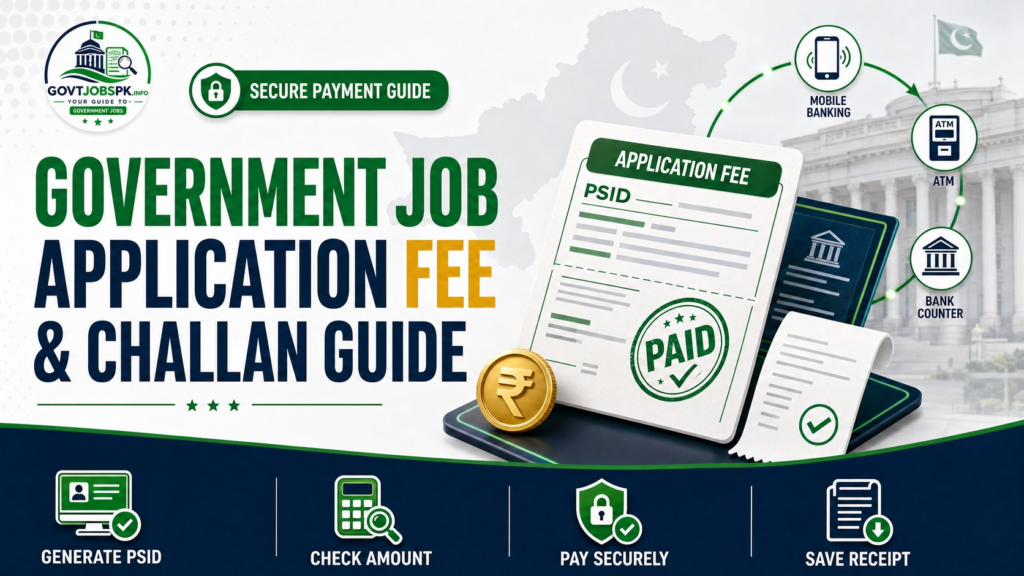
The government job application fee in Pakistan is not fixed for every vacancy; the amount and payment method depend on the recruiting authority, post, and current advertisement. One recruiter may generate a PSID for 1Link payment, another may use a provincial e-Pay biller, and a testing service may offer either an online invoice or a designated-bank deposit slip.
This guide explains how to verify the correct fee, understand a challan, PSID, and 1Bill invoice, pay through supported digital or bank channels, save valid proof, and respond when the payment is pending or not reflected. Always follow the current advertisement and official payment screen for the selected post.
For the full process from vacancy discovery to final submission, read our complete government job application guide.
Important: Paying an application fee does not necessarily submit the job application. Some systems require the candidate to return to the portal and complete another form stage after payment.
Quick Answer
Use this sequence whenever a government vacancy requires a fee:
| Step | Candidate action |
| 1 | Confirm the vacancy on the official recruiting website |
| 2 | Read the current advertisement and fee instructions |
| 3 | Verify eligibility before generating or paying an invoice |
| 4 | Generate the PSID, invoice, or challan through the official process |
| 5 | Check the candidate, post, case number, amount, and deadline |
| 6 | Pay through a channel accepted by that recruiter |
| 7 | Save the receipt, transaction ID, and PSID or invoice number |
| 8 | Return to the recruitment portal and complete any remaining form stage |
| 9 | Save the final application confirmation or tracking record |
Never send a fee to a personal bank account or mobile wallet number merely because it appears in a social media post. Before paying through an unfamiliar page, use our government job verification guide to verify the advertisement, employer, portal, and payment instructions.
Does Every Government Job Require an Application Fee?
No. There is no universal rule requiring a fee for every government vacancy. The recruiting commission, department, employer, or testing service decides whether a fee applies and publishes the amount and payment method in the advertisement or portal.
| Vacancy situation | Correct response |
| Advertisement states that no fee is required | Do not make a voluntary payment |
| Portal generates a fee invoice or PSID | Verify the post and amount, then use the accepted channel |
| Advertisement provides a manual challan or deposit slip | Follow that project’s designated bank and submission instructions |
| Social-media post provides a wallet or account number | Do not pay until the same instruction is verified officially |
| Fee information is missing or contradictory | Contact the recruiter before paying |
| More than one post is selected | Check whether a separate fee and invoice are required for each case |
Do not copy the amount used for an older advertisement or another post. Fee schedules and payment systems can change, and different recruitment products may use different rates.
You can monitor latest government jobs in Pakistan for vacancy discovery, but the official advertisement and recruiter’s payment interface remain the controlling sources.
Government Job Payment Methods at a Glance
| Method | Typical identifier | Where payment may occur | Main caution |
| PSID through 1Link 1Bill | Numeric PSID generated by the portal | Banking app, ATM, internet banking, wallet, or member bank | Use the correct biller and do not retype or alter the amount |
| Provincial e-Pay | PSID under the named government biller | Supported bank or wallet channels | Select the province’s official biller stated by the recruiter |
| Online testing-service invoice | Invoice or consumer number | 1Bill-supported channels | Follow the specific project page |
| Manual challan or deposit slip | Printed recruiter or bank slip | Designated bank branch | Use only the banks and copy-submission process specified |
| Over-the-counter PSID payment | Printed PSID challan | Supported member bank | Ask the cashier to process the PSID through the correct biller |
| No-fee application | No payment identifier | Official portal only | Do not pay an unofficial person to “activate” the form |
The word challan can refer to a printable payment record, but it does not always mean a traditional handwritten treasury form. In modern recruitment systems, the printable challan may carry a PSID that must be processed electronically through a specified biller.
What Is a Challan, PSID, and 1Bill Invoice?
Understanding the payment identifier prevents many common mistakes.
| Term | Practical meaning |
| Challan | A payment form or record containing the candidate, post, amount, account head, bank, or invoice information required by the recruiter |
| PSID | A Payment Slip ID generated for a specific transaction or application case |
| 1Link 1Bill | A bill-payment network used by participating banks and supported channels to fetch and pay an invoice |
| Biller | The organization or government service selected inside the payment channel |
| Consumer or invoice number | The number entered into the bill-payment system to retrieve the amount |
| Transaction ID | The payment channel’s record of the completed or attempted transaction |
| Receipt | The bank, wallet, ATM, or portal proof retained by the candidate |
A PSID should be generated through the official recruiter’s portal. Do not create one manually, reuse a number from another candidate, or modify digits to make a payment appear associated with another post.
The payment screen should normally fetch the due amount against the identifier. If the candidate name, post, case number, or amount is wrong, stop instead of confirming the transaction.
Checks to Complete Before Paying
Paying first and reviewing eligibility later can waste money and may not produce a valid application. FPSC’s current instructions advise candidates to confirm qualification, age, gender, domicile, experience, and other requirements before paying the prescribed fee.
Use this pre-payment table:
| Check | Question to answer |
| Official source | Am I using the recruiter’s genuine website or project page? |
| Post | Is this the exact designation and case number I intend to apply for? |
| Eligibility | Do I meet qualification, experience, age, domicile, gender, quota, and registration conditions? |
| Fee | Does the amount match the current advertisement or official portal? |
| Identifier | Was the PSID or invoice generated for my CNIC and selected post? |
| Deadline | Will the payment and final submission be completed before closing? |
| Channel | Is this bank, app, wallet, ATM, counter, or biller officially accepted? |
| Refund rule | Is the fee refundable, adjustable, or non-refundable under this process? |
| Next stage | Must I return to the portal after payment? |
| Recordkeeping | Can I save a receipt, transaction ID, and final application proof? |
Keep the identity, qualification, domicile, experience, and service information required by the application ready. Our government job documents checklist explains how to organize those records before starting.
How to Pay Through Mobile Banking or a Wallet
The exact menu names differ by bank and payment service. Use the biller and invoice type named by the recruiting authority rather than guessing.
A typical PSID or 1Bill payment follows this pattern:
| Stage | What to do |
| 1 | Generate the official PSID or invoice through the recruitment portal |
| 2 | Open a supported banking or wallet application |
| 3 | Choose Bill Payment or the equivalent service |
| 4 | Select the required 1Bill, government, provincial, or recruiter biller |
| 5 | Enter the complete PSID or invoice number |
| 6 | Wait for the system to fetch the candidate or transaction details and amount |
| 7 | Compare the displayed information with the application |
| 8 | Confirm payment only if the details are correct |
| 9 | Save a screenshot or download the receipt and transaction ID |
| 10 | Return to the recruitment portal and complete the remaining application steps |
For FPSC General Recruitment, the official payment guideline says candidates can use the 1Link 1Bill Invoice/Voucher option through mobile banking, including supported Easypaisa, JazzCash, and banking applications. The amount is fetched against the 16-digit PSID, and the candidate should save the successful transaction record.
A wallet displaying a familiar logo is not enough. Confirm that the payment option is connected to the biller stated by the official recruiter.
How to Pay Through an ATM
For an ATM payment, use a participating bank and the exact bill-payment route required for the invoice.
| ATM step | Candidate action |
| 1 | Take the correct bank card and official PSID or invoice |
| 2 | Open the ATM’s Bill Payment menu |
| 3 | Select the required biller or 1Bill Invoice/Voucher option |
| 4 | Enter the complete PSID or invoice number |
| 5 | Review the fetched amount and available identifying details |
| 6 | Confirm the payment |
| 7 | Print or preserve the successful transaction message |
| 8 | Check the recruitment portal and finish the application |
FPSC’s official guideline specifically directs ATM users to the 1Link 1Bill Invoice/Voucher option, where the due amount is automatically displayed after the PSID is entered.
Do not leave the ATM without recording the result. If a receipt is unavailable, photograph or note the transaction reference shown on screen only when it is safe to do so.
How to Pay Through Internet Banking
Internet banking generally follows the same bill payment logic as mobile banking. Sign in to your bank’s official website or application, choose the biller named by the recruiter, enter the PSID, and verify the fetched details.
Use a private device and secure connection. Do not search for a bank login page through an advertisement link, and do not share the banking password or one-time code with anyone offering to complete the job application.
FPSC’s fee guideline accepts internet banking through the 1Link 1Bill Invoice/Voucher route and advises candidates to download or capture the successful payment record.
How to Pay Over the Counter
An over-the-counter payment may use either a digitally generated PSID challan or a manual deposit slip. These are different processes.
PSID-Based Counter Payment
For FPSC’s current General Recruitment process, a candidate can print the challan containing the PSID, post, name, CNIC, and other details, visit a 1Link member bank, and ask the cashier to process the fee through the 1Link 1Bill Invoice/Voucher option. The candidate should collect a receipt.
Manual Deposit-Slip Payment
Some testing-service projects may provide a deposit slip for payment at designated branches. Use the exact slip and bank list published for the project. Obtain the required stamped copy and follow the project’s instruction on whether anything must be uploaded or sent.
Do not assume that a bank can process every recruiter’s fee through an ordinary cash deposit. The correct biller or designated account route matters.
FPSC Application Fees and Payment Process
FPSC’s General Instructions updated on 12 August 2026 publish the following fees for General Recruitment vacancies:
| FPSC post scale | Current General Recruitment fee |
| BS-16 and BS-17 | Rs. 600 |
| BS-18 | Rs. 1,500 |
| BS-19 | Rs. 2,500 |
| BS-20 and above | Rs. 3,000 |
These figures apply to the FPSC General Recruitment procedure covered by the cited instructions. They should not be presented as fees for every FPSC examination, competitive examination, or government vacancy.
FPSC Fee Workflow
FPSC generates a unique 16-digit PSID during the online application process. The fee can be paid through an ATM, mobile banking, internet banking, supported Easypaisa or JazzCash options, or over the counter at a 1Link member bank using the 1Bill Invoice/Voucher route.
For each selected case, a separate PSID is generated, while the candidate’s CNIC remains the same. The PSID remains valid until the closing date of the advertisement.
Critical: The FPSC guideline states that paying the fee does not submit the application. After payment, the candidate must return to the portal, complete the remaining Step 2 information, and obtain successful submission confirmation.
The current FPSC procedure does not accept the old TR-6 challan, cheque, bank draft, or pay order for this General Recruitment workflow. The official guideline also states that the paid fee is non-refundable.
For the complete post selection, PSID generation, fee payment, Step 2, tracking ID, and correction process, follow our step-by-step FPSC online application guide.
PPSC e-Pay and the GoPb Biller
PPSC uses an e-Pay process in which the candidate generates a PSID for the relevant case or post and pays through the GoPb biller using a supported channel.
Because the live PPSC advertisement determines the fee amount, do not reuse an amount from another case. Generate the PSID from the current official application process and allow the payment channel to fetch the payable amount.
A safe high-level sequence is:
| Stage | PPSC candidate action |
| 1 | Open the current post through the official PPSC website |
| 2 | Read the fee and application instructions |
| 3 | Start the online process and generate the case-specific PSID |
| 4 | Open a supported payment channel |
| 5 | Select the Government of Punjab or GoPb biller required by PPSC |
| 6 | Enter the PSID and review the fetched details and amount |
| 7 | Pay and retain the receipt or transaction ID |
| 8 | Return to the official PPSC process and complete the application |
Payment-application labels can change, so follow PPSC’s current e-Pay manual and the instructions displayed on the live portal rather than relying on an old screenshot.
NTS 1Bill and Manual Payment Methods
The official NTS fee-payment page describes two possible routes after an application form is submitted: a 1Link 1Bill procedure and a manual procedure.
| NTS route | Current official description |
| 1Link 1Bill | Participating banks, ATM, internet banking, mobile banking, Easypaisa, JazzCash, and TCS Express Counters; only the 1Bill Invoice route is accepted for this method |
| Manual procedure | Payment through designated branches of ABL, MCB, and Meezan Bank; only designated banks are accepted |
The project page decides which route applies and what the candidate must do after payment. NTS’s general FAQ also describes manual form situations where the original NTS Copy of the deposit slip accompanies the application form.
Do not assume that every current NTS recruitment requires courier submission. Some projects use online workflows, while others may retain a manual step. Read the specific project advertisement, form, and payment instruction.
NTS currently states that disabled candidates are entitled to fee exemption when a NADRA Disability Certificate is submitted with each application form, except for international tests. Treat this as an NTS-specific policy and verify the current project conditions.
Traditional or Manual Challan Situations
A manual challan or deposit slip may contain multiple copies for the bank, recruiter, or candidate. Fill it exactly as instructed.
| Manual challan field | What to verify |
| Candidate name | Matches CNIC and application |
| CNIC | Complete and accurate |
| Post and case | Matches the selected vacancy |
| Amount | Matches the advertisement |
| Bank and branch | Included in the accepted network |
| Account or treasury head | Copied from the official form without alteration |
| Closing or payment date | Payment is made within the allowed period |
| Bank stamp or receipt | Clearly recorded on the required copy |
| Submission instruction | Required copy is uploaded or sent only when directed |
Never download a challan from an unofficial blog when the recruiting authority provides its own form. Do not replace the bank, account title, treasury code, or amount based on verbal advice.
Applying for Multiple Posts
Do not assume that one fee covers several positions. The recruiter may require a separate application and payment for each case.
FPSC’s official guideline states that every selected case produces a separate PSID. A candidate applying for more than one FPSC post should therefore follow the official process for each case rather than reusing the first PSID.
Maintain a separate record for every post:
| Record | Example format |
| Recruiter | FPSC, PPSC, NTS, or department |
| Advertisement | Consolidated advertisement or project name |
| Post | Exact designation |
| Case number | Recruiter’s reference |
| PSID or invoice | Unique number for that case |
| Fee amount | Amount fetched or stated officially |
| Transaction ID | Bank or wallet reference |
| Payment date | Date and time of payment |
| Submission proof | Final application confirmation or tracking ID |
This prevents a receipt from one application being mistakenly associated with another.
How to Save Valid Payment Proof
A useful payment record should connect the transaction with the candidate and application.
| Proof to retain | Purpose |
| PSID, invoice, or challan | Identifies the payable transaction |
| Screenshot or downloaded receipt | Shows the payment result |
| Transaction ID | Helps the bank or channel locate the payment |
| Date and time | Supports tracing and deadline questions |
| Amount | Confirms what was debited |
| Channel | Identifies the bank, wallet, ATM, or counter used |
| Post and case number | Links payment to the vacancy |
| Final application confirmation | Proves that the process continued after payment |
Save the payment proof outside the application portal as well. Use a simple filename such as FPSC-Case-Number-PSID-Receipt.pdf or PPSC-Post-Transaction-Date.jpg.
A debit SMS by itself may not contain enough information to associate the payment with the recruiter. Preserve the detailed receipt or transaction screen when available.
Payment Successful but the Portal Does Not Proceed
First, do not pay again immediately. Check whether the payment channel shows successful, pending, failed, or reversed, and verify that the PSID belongs to the correct application.
For FPSC, the official guideline states that if payment has been made against the PSID but the system does not proceed, the candidate should contact the relevant bank or payment channel helpline.
Use this sequence:
| Step | Action |
| 1 | Save the current error screen and payment receipt |
| 2 | Confirm that the amount was actually debited |
| 3 | Check that the PSID, CNIC, post, and amount are correct |
| 4 | Allow reasonable synchronization time if the official system indicates it |
| 5 | Refresh or sign in again through the official portal |
| 6 | Contact the payment channel using the transaction ID |
| 7 | Contact the recruiter if the bank confirms settlement but the portal remains blocked |
| 8 | Keep written support records and complete the form before closing |
Do not post your complete CNIC, PSID, receipt, banking screenshot, or password in a public group while asking for help.
Pending, Failed, or Duplicate Transactions
Pending Payment
A pending transaction has not yet produced a final result. Preserve the reference and check the bank or wallet before attempting another payment.
Failed Payment
Confirm whether any amount was deducted. If no debit occurred, regenerate or retry only according to the recruiter’s and payment channel’s instructions. If money was deducted, treat it as a payment dispute rather than assuming failure.
Reversed Payment
A reversal means the amount was returned or is being returned by the payment channel. Confirm the final account status before paying again.
Duplicate Payment
If the same invoice was paid more than once, preserve both transaction records and contact the payment channel and recruiter. Do not promise yourself a refund; the applicable refund and adjustment rules determine the outcome.
Wrong PSID or Wrong Post
Do not expect a payment made against the wrong case to transfer automatically. Contact the official recruiter promptly, but prepare for the possibility that a new correct payment may be required under the published rules.
Refunds and Fee Exemptions
Refund and exemption policies differ. Do not assume that a withdrawn, rejected, ineligible, duplicated, or unused application automatically qualifies for a refund. FPSC’s current General Recruitment payment guideline expressly states that the fee, once paid, is non-refundable.
NTS currently publishes a fee exemption for disabled candidates subject to submission of a NADRA Disability Certificate with each application form, excluding international tests. This should not be treated as a universal exemption across all commissions or departments.
| Situation | Correct approach |
| Candidate changes their mind | Check the recruiter’s refund rule; do not assume entitlement |
| Candidate later proves ineligible | Review the official policy before expecting a refund |
| Duplicate transaction | Contact the payment channel and recruiter with both references |
| Technical error | Preserve proof and seek official support promptly |
| Disability or another exemption claim | Use the certificate and conditions named by that recruiter |
| No fee stated | Do not pay an unofficial person to process the application |
Payment Scam and Safety Warnings
Fraudulent recruitment messages often create urgency and provide a personal payment destination. A genuine-looking advertisement image is not proof.
| Warning sign | Safe response |
| Personal mobile-wallet number | Verify the official recruiter’s payment instructions and do not send money |
| Personal bank account | Stop unless the same account is published through a verified official process |
| Fee demanded through WhatsApp | Open the recruiter’s website independently |
| Promise of guaranteed selection | Do not pay; legitimate fees do not purchase selection |
| Request for banking PIN or OTP | Never share it |
| Shortened or misspelled portal URL | Type the official domain manually |
| Amount differs from the portal | Stop and clarify before paying |
| Request to send full receipt and CNIC publicly | Use official private support channels only |
| “Processing fee” after submitting | Verify whether the advertisement actually requires it |
| Payment to activate a no-fee application | Treat it as suspicious |
Recruitment fees are administrative or testing charges, not payments for appointment, merit, interview marks, or influence.
Common Government Job Fee Mistakes
| Mistake | Likely consequence | Better approach |
| Paying before checking eligibility | Non-refundable loss or invalid application | Confirm every eligibility condition first |
| Using an old fee amount | Underpayment, overpayment, or failed application | Follow the current advertisement and fetched invoice |
| Selecting the wrong biller | Payment may not reach the recruiter | Use the biller named in official instructions |
| Mistyping the PSID | Wrong or failed transaction | Copy and review every digit |
| Reusing one PSID for several posts | Payment linked to the wrong case | Generate the required case-specific invoice |
| Paying an unofficial wallet | Fraud and loss of funds | Use official portal-generated instructions |
| Ignoring fetched details | Wrong candidate or post may be paid | Compare name, CNIC, case, and amount |
| Closing the process after payment | Application may remain incomplete | Return and complete the final form stage |
| Losing the receipt | Difficult payment tracing | Download and back up proof immediately |
| Paying twice while status is pending | Duplicate transaction | Verify with the payment channel first |
| Waiting until the closing date | No time to resolve payment or portal errors | Apply and pay early |
| Assuming a refund | Financial expectation may be incorrect | Read the recruiter’s refund policy |
Final Government Job Fee Checklist
Before payment, confirm the official website, vacancy, case number, CNIC, eligibility, amount, biller, accepted channel, deadline, and refund policy. Generate the PSID, invoice, or challan only through the recruiter’s process.
During payment, allow the channel to fetch the amount, review every displayed detail, and keep banking credentials private. After payment, save the PSID, receipt, transaction ID, amount, date, and post information.
Finally, return to the recruiter’s portal, complete any remaining application stage, and save the final submission confirmation. A bank debit without application confirmation is not enough.
Frequently Asked Questions
What is the government job application fee in Pakistan?
There is no single fee for every government job. The amount depends on the recruiting authority, post, scale, examination, or testing project. Use the current advertisement and official payment portal.
Do all government jobs require an application fee?
No. Some vacancies have no fee. Do not make a payment unless the official advertisement or recruitment portal requires one.
What is a PSID?
A PSID is a payment identifier generated through an official process for a particular transaction or application case. It is entered through the bill-payment route named by the recruiter.
Is a PSID the same as a challan?
Not exactly. A PSID is the payment identifier, while a challan is the payment form or record. A printable modern challan may contain the PSID used for electronic bill payment.
How can I pay an FPSC application fee?
For current FPSC General Recruitment, the official guideline allows payment against a portal-generated PSID through a 1Link 1Bill Invoice/Voucher route using an ATM, mobile banking, internet banking, supported Easypaisa or JazzCash options, or over the counter at a 1Link member bank.
What are the current FPSC General Recruitment fees?
FPSC’s instructions updated on 12 August 2026 list Rs. 600 for BS-16 and BS-17, Rs. 1,500 for BS-18, Rs. 2,500 for BS-19, and Rs. 3,000 for BS-20 and above. These rates apply to the General Recruitment procedure covered by those instructions.
Does paying the FPSC fee submit my application?
No. FPSC’s payment guideline says the candidate must return to the portal and complete the remaining Step 2 information after payment.
Can I pay an FPSC General Recruitment fee using the old TR-6 challan?
No. The current FPSC instructions state that the old TR-6 challan, cheque, bank draft, and pay order are not accepted for this workflow.
Is the FPSC fee refundable?
The current FPSC General Recruitment fee-payment guideline states that the fee is non-refundable.
How do I pay a PPSC fee?
Generate the official PSID for the selected PPSC case or post, use the GoPb biller through a supported channel, review the fetched details and amount, pay, save proof, and complete the online application.
Can I use Easypaisa or JazzCash for a government job fee?
Only when the official recruiter supports that channel through the required biller. FPSC and NTS publish supported mobile-payment routes for their current processes, but candidates must follow the exact vacancy or project instructions.
How does NTS fee payment work?
NTS’s official page describes both a 1Link 1Bill method and a manual designated-bank method. The individual project instructions determine which route and submission requirements apply.
Do I need to send the original challan to the recruiter?
Only if the current project instructions require it. Some manual NTS situations require the original NTS copy with the form, while modern online systems may not require courier submission.
What should I do if the amount is deducted but the portal shows unpaid?
Save the receipt and transaction ID, verify the PSID, and contact the payment channel. If the channel confirms settlement but the portal remains blocked, contact the recruiter with the transaction details through an official private support route.
Should I pay again if a transaction is pending?
Not immediately. Check the bank or wallet status and confirm whether the first transaction settled, failed, or reversed before attempting another payment.
Can one fee be used for multiple job applications?
Do not assume so. FPSC generates a separate PSID for each selected case. Other recruiters may also require separate applications and fees.
Is paying a fee to a personal wallet safe?
Not unless the same payment destination and method are verified through the official recruitment process. A personal wallet shared only through social media or messaging should be treated as suspicious.
What payment records should I save?
Keep the PSID or invoice, receipt, transaction ID, amount, date, payment channel, post, case number, and final application confirmation.
Does NJP charge a universal application fee?
The National Job Portal does not establish one universal fee for every participating vacancy on its public guidance pages. Follow the selected advertisement and official job-detail instructions. For the account and submission workflow, use our NJP registration and application guide.
Final Thoughts
A government job fee should begin with an official vacancy and end with a confirmed application. Verify eligibility and payment instructions before generating a challan or PSID, use only the approved biller and channel, and preserve complete transaction evidence.
Most importantly, do not stop after payment. Return to the recruitment portal, complete every remaining form stage, and save the final submission record. This simple habit prevents a successful bank transaction from becoming an incomplete job application.
Disclaimer
GovtJobsPK.info provides recruitment guidance for informational purposes. Application fees, rates, exemptions, refund rules, billers, banks, wallets, forms, PSID formats, and submission steps can change by recruiter, advertisement, project, and date. Candidates must follow the current official advertisement, payment portal, recruiter manual, and support instructions. Never share banking passwords, PINs, or one-time codes.